




In an era dominated by corporate cloud ecosystems, public cloud storage has transitioned from a modern convenience into a significant privacy liability. Every document, personal photograph, and proprietary spreadsheet uploaded to mainstream platforms becomes data fodder for machine learning models, targeted advertising profiles, and algorithmic indexing. Google Drive, while undeniably seamless, forces users to trade structural data sovereignty and cryptographic privacy for simple convenience. Recent high-profile account lockouts, unpredictable subscription price hikes, and sweeping changes to terms of service have driven tech-savvy individuals, developers, and small businesses toward a liberating movement: self-hosting.
Self-hosting your cloud infrastructure means reclaiming absolute ownership of your digital life. By deploying software on your own hardware—whether an old desktop machine, a dedicated Network Attached Storage (NAS) device, a Raspberry Pi, or a private Virtual Private Server (VPS)—you ensure that your sensitive files remain under your physical or cryptographic perimeter.
However, migrating away from the public cloud does not mean sacrificing the collaborative workflows, automatic cross-platform synchronization, or mobile access that make Google Drive so indispensable. The modern open-source landscape offers robust, high-performance web applications built to rival big-tech architectures.
Below, we dissect the five best self-hosted alternatives to Google Drive, analyzing their architectures, deployment ecosystems, and ideal use cases to help you choose the ultimate private cloud node for your network.
1. Nextcloud: The Enterprise-Grade Productivity Suite
When users look for a direct, feature-for-feature replacement for the entire Google Workspace ecosystem, Nextcloud is the undisputed industry standard. Originating as a fork of ownCloud, Nextcloud has evolved into a massive, highly polished productivity platform that handles far more than simple file hosting.
Architectural & Core Features
Nextcloud operates primarily on a standard LAMP/LEMP stack (Linux, Apache/Nginx, MySQL/MariaDB, PHP), making it highly compatible across diverse server setups. Its core strength lies in its extensive app ecosystem. Through an integrated app store, users can transform a basic file directory into a comprehensive suite including Nextcloud Office (via Collabora Online or OnlyOffice integration), Nextcloud Talk (peer-to-peer encrypted video calling and chat), calendars, contacts, and email clients.
Its file-sharing engine features granular access controls, password-protected public links, expiration dates, and complex file drop settings (anonymous upload folders). Security-wise, Nextcloud provides native Server-Side Encryption (SSE) and robust End-to-End Encryption (E2EE) extensions for highly sensitive directories, alongside full compliance capabilities for regulated data environments.
Deployment & Synchronization
Nextcloud provides exceptional cross-platform client applications for Windows, macOS, Linux, Android, and iOS. Desktop clients utilize a virtual file system (similar to Google Drive’s “Files On-Demand”), downloading assets only when opened to conserve local solid-state drive (SSD) space. Deployment is straightforward via official Docker Compose configurations, Snap packages, or direct bare-metal installation on corporate servers.
-
Best For: Power users, remote teams, and families requiring a holistic, collaborative alternative to the complete Google Workspace or Microsoft 365 environment.
-
Pros: Massive feature set; exceptional documentation; rich mobile apps; robust real-time collaborative document editing.
-
Cons: Can feel heavy or resource-intensive on low-end hardware like older Raspberry Pi boards when running multiple apps simultaneously.
2. Seafile: High-Performance, Enterprise File Synchronization
If your primary objective is absolute synchronization speed, raw data throughput, and flawless handling of massive multi-gigabyte files,Seafile stands out as an elite engineering achievement. Unlike suites that try to handle email, chat, and office tools simultaneously, Seafile focuses narrowly on mastering file storage and syncing performance.
Architectural & Core Features
Written primarily in C and Python, Seafile diverges from traditional file-hosting software by utilizing a Git-like internal data structure. Instead of mapping your files directly to standard directories on the server’s hard disk, Seafile breaks files down into distinct, content-addressable blocks. These blocks are managed by the server core and tracked via a relational database (SQLite or MySQL).
This architecture yields unparalleled performance benefits. File synchronization speeds are significantly faster than competing PHP-based solutions. Furthermore, it unlocks native block-level deduplication—saving immense storage capacity when multiple users upload identical or highly similar files—and highly resilient internal version control that lets you instantly roll back modifications without generating bloated data overhead.
Deployment & Synchronization
Seafile provides a highly reliable desktop synchronization client alongside a separate “Seafile Drive Client,” which mounts your remote storage directly as a virtual local drive letter. The web interface is clean, modern, and highly responsive. While it lacks built-in document editing out of the box, it seamlessly integrates with independent OnlyOffice or Office Online instances to enable collaborative document authoring.
-
Best For: Teams dealing with massive media files, CAD designs, software repositories, or users who prioritize lightning-fast synchronization performance above all else.
-
Pros: Exceptionally fast sync speeds; highly efficient storage utilization via deduplication; bulletproof version control.
-
Cons: Files are stored in a proprietary block format on the host server, meaning you cannot read or browse files directly from the command line without the Seafile application running.
3. ownCloud Infinite Scale (oCIS): Re-engineered for the Cloud-Native Era
For over a decade, ownCloud was a reliable cornerstone of the open-source community. However, recognizing the inherent scaling limitations of traditional PHP monolith architectures when managing millions of files, the engineering team completely rewrote the platform from the ground up. The result is ownCloud Infinite Scale (oCIS)—a hyper-modern, cloud-native file access platform.
Architectural & Core Features
oCIS represents a paradigm shift in self-hosted storage architecture. It completely discards the traditional LAMP stack, written entirely in Go (Golang) as a decoupled architecture composed of autonomous microservices. Most importantly, oCIS eliminates the hard dependency on external relational databases like MySQL or PostgreSQL for standard metadata operations. Metadata is handled directly by the storage driver or embedded keys, eliminating the primary bottleneck that plagues large-scale deployments.
The system features an entirely modernized user interface designed with Vue.js, conforming strictly to modern web accessibility standards. Security is deeply baked into its core, employing native OpenID Connect (OIDC) protocols for identity management and granular user authentication.
Deployment & Synchronization
Because oCIS is compiled into a single, highly optimized Go binary, deployment is remarkably lightweight and carries zero external runtime dependencies. It can be initialized via a single Docker container or run as a standalone system service that consumes mere megabytes of idle RAM. It maintains backwards compatibility with existing ownCloud desktop and mobile sync clients, offering rock-solid file infrastructure.
-
Best For: Sysadmins, DevOps professionals, and enterprise deployments seeking a highly scalable, maintenance-free, database-less storage architecture that can run efficiently on anything from a budget VPS to a distributed Kubernetes cluster.
-
Pros: Immensely lightweight; no database overhead or configuration required; highly secure cloud-native architecture.
-
Cons: Lacks the sheer volume of community plugins and add-on modules found in older platforms like Nextcloud.
4. Pydio Cells: Enterprise-Grade Data Management and Secure Sharing
Pydio Cells is a sophisticated, highly structured self-hosted open-source document management platform designed specifically for environments where compliance, strict security auditing, and deep data governance are absolute mandates.
Architectural & Core Features
Like oCIS, Pydio Cells is written entirely in Go as a microservices-based application, providing incredible concurrency handling and high performance. The platform organizes files using a concept known as “Cells.” A Cell is a dynamic, shared workspace that can be defined by specific users, teams, projects, or ad-hoc sharing rules.
Pydio’s standout feature is its powerful security policy engine. Administrators can construct highly intricate access control lists (ACLs) based on contextual variables, such as the user’s IP range, geographic location, time of day, or specific device profile. It features comprehensive, real-time audit logs that map precisely who accessed, modified, or downloaded a specific file, making it highly suitable for industries adhering to strict legal data guidelines.
Deployment & Synchronization
Pydio Cells operates elegantly as an enterprise-grade backend system. It features an integrated web-based terminal for management, advanced search powered by internal indexing engines, and built-in multimedia viewers. It offers dedicated desktop synchronization tools and mobile applications that utilize secure REST APIs to communicate with the microservices grid.
-
Best For: Small-to-medium businesses, legal firms, medical practitioners, or technical teams requiring absolute control over compliance, security policies, and itemized data access tracking.
-
Pros: Unmatched, granular security and access control frameworks; highly scalable Go architecture; superb administrative dashboards.
-
Cons: The setup interface and highly detailed permission models feature a steeper learning curve for casual home users.
5. Syncthing: The Decentralized, Peer-to-Peer Synchronization Engine
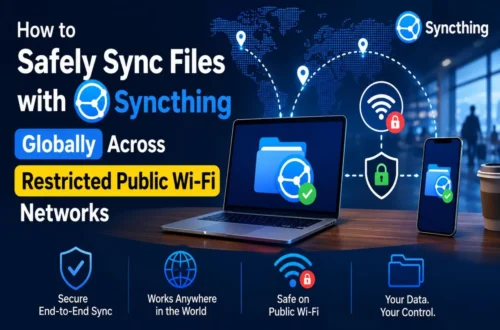
While Nextcloud, Seafile, oCIS, and Pydio operate on a traditional client-server architecture, Syncthing completely disrupts the paradigm. Syncthing is an open-source, continuous, decentralized peer-to-peer (P2P) file synchronization system that eliminates the concept of a centralized cloud server altogether.
Architectural & Core Features
Syncthing does not store your files on anyone else’s cloud, nor does it require you to configure an expensive web server exposed to the public internet. Instead, you install Syncthing directly on your primary devices—such as your laptop, desktop computer, home NAS, and Android phone. The devices then connect directly to one another over your local area network (LAN) or securely across the internet using cryptographic keys.
When a file is modified on one device, Syncthing immediately splits the file into blocks and streams those changes directly to the other connected nodes simultaneously using the Block Exchange Protocol. Data transfer is fully protected via TLS, and every node is authenticated explicitly using cryptographic device certificates. Because there is no central database or web application dashboard exposed to the web, the surface area for external hacking attempts is practically non-existent.
Deployment & Synchronization
Syncthing is an incredibly lightweight binary written in Go. It operates silently in the background of your devices, providing an elegant local web GUI for pairing folders and monitoring sync statuses. If you still want a “central” cloud node that is always online to collect files while your laptop is closed, you can simply install Syncthing on a low-powered, always-on device like a Raspberry Pi or home NAS system.
-
Best For: Privacy purists and minimalist tech enthusiasts who want raw, automated folder synchronization across their personal devices without dealing with web server hosting, database administration, or public cloud entry points.
-
Pros: True decentralized privacy; incredibly low system resource footprint; zero server infrastructure configuration required; lightning-fast local network transfers.
-
Cons: Lacks a web browser interface for viewing or accessing your files from an unconfigured public device; no native real-time collaborative web editing suite; official iOS support is limited to third-party file provider wrappers due to Apple’s background processing limitations.
Comparison Matrix: Finding Your Perfect Self-Hosted Fit
| Feature / Criteria | Nextcloud | Seafile | ownCloud Infinite Scale | Pydio Cells | Syncthing |
| Primary Architecture | PHP (LAMP/LEMP) | C / Python (Block-based) | Go (Microservices, No DB) | Go (Microservices) | Go (Decentralized P2P) |
| Sync Speed & Efficiency | Moderate | Elite / Ultra-Fast | High / Efficient | High / Efficient | Elite (LAN Speed) |
| Collaboration Tools | Native Office & Chat | Optional Integrations | Optional Integrations | Viewers & Editors | None (Sync Only) |
| Resource Overhead | High | Low-to-Moderate | Extremely Low | Moderate | Extremely Low |
| Security Architecture | Good (E2EE Plugin) | Excellent | Advanced (OIDC Native) | Elite (Granular ACLs) | Elite (True P2P TLS) |
Summary: How to Take Action
Transitioning away from Google Drive to a self-hosted alternative is a rewarding journey toward digital self-determination. The optimal choice depends entirely on your technical requirements and hardware constraints:
-
If you want a drop-in workspace replacement for a family or business team complete with document editing, calendars, and communications, deploy Nextcloud.
-
If you manage massive data libraries and prioritize lightning-fast sync operations and storage optimization over additional features, opt for Seafile.
-
If you love cloud-native, modern software engineering and want a minimalist, low-maintenance file storage architecture that avoids database management, choose ownCloud Infinite Scale.
-
If you are managing sensitive corporate assets that demand airtight security rules, conditional access permissions, and thorough compliance auditing, implement Pydio Cells.
-
If you simply want your laptops, desktops, and mobile devices to mirror data perfectly without setting up a traditional server or exposing your files to the public internet, install Syncthing.
By investing a small amount of time into setting up one of these powerful open-source alternatives, you permanently break free from public cloud monitoring, unexpected subscription tier shifts, and big-tech data mining—securing a faster, completely private digital workspace completely under your own command.