




Modern Smart TVs (Samsung Tizen, LG webOS, Roku OS, and Android TV/Google TV) are low-cost hardware subsidized by continuous data monetization. Through Automatic Content Recognition (ACR), background metrics collection, and embedded ad-serving frameworks, smart TVs constantly exfiltrate viewing habits, device identifiers, and network metadata back to vendor telemetry servers.
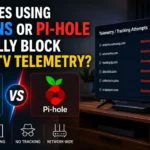
To regain network privacy, many users deploy DNS-level sinkholes like Pi-hole or cloud-based DNS resolvers like NextDNS.
While DNS filtering blocks a significant portion of commercial tracking networks, it faces fundamental architectural limitations when pitted against modern telemetry engines. Here is an evaluation of what DNS blocking accomplishes, where it fails, and how to fix the gaps.
1. How Smart TV Telemetry Operates: Below the Application Layer
Smart TV telemetry relies on three core tracking mechanisms built directly into the TV’s operating system firmware:
[ Smart TV Operating System (Tizen / webOS / Roku) ]
                         │
      ┌──────────────────┼──────────────────┐
      ▼                  ▼                  ▼
[ ACR Fingerprinting ] [ Ad Ad-Serving ] [ OS Health Telemetry ]
 (Audio/Video Frames)  (Banner / Video)   (App Launch / Crash)
      │                  │                  │
      └──────────────────┼──────────────────┘
                         ▼
        [ Encrypted Outbound Network Traffic ]
                         │
                         ▼
           [ NextDNS / Pi-hole DNS Query Filter ]
-
Automatic Content Recognition (ACR): The TV continuously samples audio and video frames directly from the display pipeline (including content played via HDMI inputs, gaming consoles, or Blu-ray players). It hashes these frames and queries a cloud fingerprint database to identify exactly what program, movie, or ad you are watching in real time.
-
Device Identifiers for Advertisers (IFA/TIFA): Similar to mobile advertising IDs, smart TVs assign persistent identifiers (such as Samsung’s PSID or LG’s Ad ID) to link your viewing habits to your household IP address.
-
Firmware Health and App Telemetry: System services ping vendor telemetry endpoints (e.g.,
samsungcloudsolution.comorlgtvcommon.com) every few seconds to log app execution times, button presses, and network status.
2. DNS-Level Sinkholing: Pi-hole vs. NextDNS
Both Pi-hole (a self-hosted DNS sinkhole running on a local Raspberry Pi or server) and NextDNS (a cloud-hosted, privacy-focused recursive DNS resolver) operate at Layer 7 (Application Layer) of the OSI model by intercepting Domain Name System (DNS) queries.
[ TV App Request ] ──► [ Query: ad.samsung.com ] ──► [ Pi-hole / NextDNS Filter ]
                                                              │
                                            ┌─────────────────┴─────────────────┐
                                            ▼                                   ▼
                              [ Match on Blocklist? YES ]       [ Match on Blocklist? NO ]
                                            │                                   │
                                            ▼                                   ▼
                                 Return 0.0.0.0 (Sinkhole)           Forward to Upstream DNS
What DNS Blocking Successfully Kills:
-
Known Third-Party Ad-Serving Domains: Blocks domains responsible for fetching banner ads within the home screen UI (e.g.,
ads.samsung.com,ad.roku.com). -
Basic Outbound Tracking Endpoints: Intercepts unencrypted DNS queries directed at documented vendor analytics servers included in blocklists (such as OISD, Peter Lowe’s List, or specialized Smart TV Blocklists).
3. Why DNS Sinkholes Fail to Block 100% of Telemetry
Despite using aggressive blocklists, smart TVs frequently bypass Pi-hole and NextDNS entirely using five technical workarounds:
| Evasion Technique | Technical Mechanism | Why DNS Blocking Fails |
| Hardcoded Public DNS Resolvers | TV firmware bypasses local DHCP-assigned DNS settings and routes queries directly to Google (8.8.8.8) or Cloudflare (1.1.1.1) via hardcoded IP addresses. |
The TV never queries your local Pi-hole or NextDNS resolver; it talks directly to public DNS over port 53. |
| DNS-over-HTTPS (DoH) / DNS-over-TLS (DoT) | TV applications encrypt DNS queries inside standard HTTPS traffic (port 443) directed to bootstrap IPs. |
Local DNS sinkholes cannot inspect or block the encrypted HTTPS payload without deep packet inspection. |
| IP-Direct Telemetry Ingestion | Vendor telemetry engines transmit tracking data directly to static IPv4/IPv6 addresses, skipping DNS name resolution entirely. | No domain lookup occurs; the payload is sent directly to the destination IP address. |
| First-Party Domain Collateral Damage | Telemetry APIs are hosted on the same core domain as essential firmware update or streaming auth servers (e.g., lgsmartad.com vs. lgtvcommon.com). |
Blocking the domain breaks core TV functionality, app streaming, or system updates. |
| Local Caching & Retry Loops | When a telemetry domain returns 0.0.0.0, the TV caches local failure states and continuously spams thousands of aggressive retry queries, saturating local DNS logs. |
The TV stores metrics locally on internal flash storage until a valid connection is eventually re-established. |
4. The Complete De-Telemetry Blueprint: Layered Defense
To completely block smart TV telemetry, you must combine DNS filtering with Layer 3/4 Firewall Rules at your router level.