




Relying on cloud-hosted LLMs for daily coding introduces severe bottlenecks: network latency, unexpected rate limits, API costs, and corporate code privacy risks. For developers, data engineers, and systems administrators, running open-weight models like DeepSeek-Coder and Qwen-Coder directly on workstation hardware offers a game-changing alternative: near-zero latency, complete offline execution, and total code privacy.
Modern open-weights models rival top-tier commercial LLMs in code generation, refactoring, debugging, and terminal automation. This guide walks through configuring DeepSeek and Qwen on your local hardware for maximum tokens-per-second performance.
1. Selecting the Right Model Family & Architecture
Choosing between DeepSeek and Qwen comes down to your specific technical workflow and available hardware resources:
-
DeepSeek-Coder (V2 / R1 Distills): Built specifically for complex algorithmic reasoning, deep code completion, and multi-file code editing. It leverages Mixture-of-Experts (MoE) architectures in its larger variants, allowing high parameter counts with reduced active compute requirements per token.
-
Qwen-Coder (Qwen2.5-Coder): Alibaba’s flagship open-weight code family. Renowned for its exceptional Fill-in-the-Middle (FIM) capabilities, precise syntax handling across 40+ programming languages, and superior adherence to system prompts in agentic terminal tools.
2. Hardware VRAM Requirements & Quantization Matrix
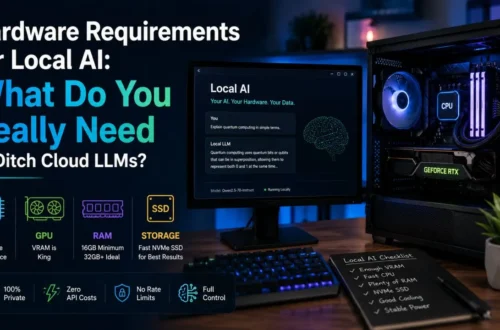
To achieve zero-latency performance (30+ tokens per second), your model must fit directly into high-speed memory (Unified RAM on Apple Silicon or GDDR6/X VRAM on discrete NVIDIA/AMD GPUs). If a model spills over into system PCIe RAM, generation speeds drop drastically.
Use GGUF quantizations (via llama.cpp) to compress 16-bit floating-point weights (FP16) into 4-bit (Q4_K_M) or 8-bit (Q8_0) precision with virtually zero loss in coding accuracy:
| Model Variant | Quantization Level | Minimum VRAM / RAM | Target Use Case | Recommended Hardware |
| Qwen2.5-Coder-1.5B | Q8_0 (1.8 GB) |
4 GB | Inline autocompletion / FIM | Any modern laptop / Integrated GPU |
| Qwen2.5-Coder-7B | Q4_K_M (4.7 GB) |
8 GB | Real-time code editing & refactoring | RTX 3060 / 4060 or Apple M1/M2/M3 (16GB) |
| DeepSeek-Coder-7B | Q8_0 (7.5 GB) |
12 GB | High-accuracy script execution | RTX 3060 12GB / RTX 4070 |
| Qwen2.5-Coder-14B | Q4_K_M (9.0 GB) |
16 GB | Complex multi-file refactoring | RTX 4080 / Apple Silicon (24GB+) |
| DeepSeek-R1-Distill-Qwen-32B | Q4_K_M (20 GB) |
24 GB+ | Advanced algorithmic problem solving | RTX 3090 / 4090 / Apple Silicon (36GB+) |
3. Step-by-Step Setup: Zero-Latency Local Inference Pipeline
Setting up a local environment requires configuring Ollama as the local background inference daemon and linking it to your IDE (VS Code / Cursor).
4. Key Developer Workflows Optimized for Local Execution
-
Fill-in-the-Middle (FIM) Autocompletion: By assigning a lightweight 1.5B or 3B model dedicated solely to inline completion, code suggestions generate at sub-50ms latency as you type—beating cloud API latency hands down.
-
Local Terminal Agent Automation: Pair local models with CLI tools like
AiderorClaude Codeconfigured with local OpenAI-compatible endpoints to execute git commits, write unit tests, and refactor legacy code entirely offline. -
Air-Gapped Repository Auditing: Perform static code analysis, vulnerability scanning, and credential leak checks on proprietary internal enterprise codebases without sending a single byte to remote cloud infrastructure.