




Google’s NotebookLM popularized grounded AI note-taking by letting users upload PDFs, documents, and research notes, then query them using Large Language Models (LLMs). But relying on cloud-hosted options introduces three major trade-offs: strict content filters, data privacy risks, and platform lock-in.
If you analyze sensitive research, proprietary business documents, or uncensored datasets, sending your core knowledge base to Google’s servers isn’t an option.
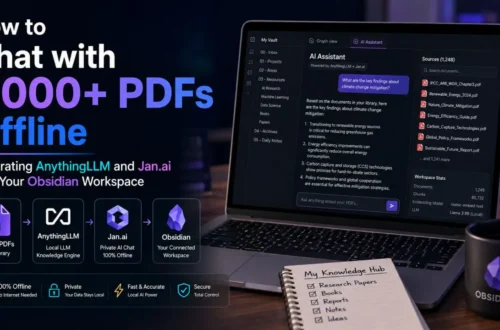
Building a self-hosted, private NotebookLM alternative is straightforward using Obsidian combined with community AI plugins and local open-weight inference models.
Why Replace NotebookLM with Obsidian + Local AI?
-
Data Sovereignty & Security: Your notes stay stored in plain-text Markdown files locally on your hard drive. Zero data is sent to external cloud servers.
-
Uncensored Reasoning: Local open-source models (like DeepSeek, Qwen, or Llama) do not refuse queries based on cloud platform content moderation policies.
-
Persistent Knowledge Network: Obsidian’s bi-directional linking and graph database view allow you to structure long-term notes rather than throwing files into temporary session notebooks.
The Tech Stack Overview
To build an on-device local knowledge engine, you need three main components:
-
Obsidian (Knowledge Base Vault): The core note-taking application that stores notes as local
.mdfiles. -
Ollama or LM Studio (Local Inference Engine): Background runners that serve local AI models via a local API endpoint (
http://localhost:11434). -
Smart Connections or Copilot (Obsidian Plugins): Plugins that generate vector embeddings across your notes to enable Retrieval-Augmented Generation (RAG).
Step-by-Step Setup Guide
Comparing NotebookLM vs. Local Obsidian Setup
| Feature | Google NotebookLM | Obsidian + Local AI Stack |
| Data Storage | Google Cloud Servers | 100% Local Hard Drive |
| Content Moderation | Strict Google Safety Filters | Fully Uncensored (Based on chosen model) |
| Offline Functionality | No (Requires Internet) | Yes (100% Fully Offline) |
| File Format | Cloud Session Uploads | Local Plain-Text .md Files |
| Hardware Required | Basic Web Browser | 8GB–16GB+ VRAM/RAM recommended |
By pairing Obsidian with Ollama and vector search plugins, you achieve the synthesis power of NotebookLM while retaining full control over your private data.