



Not too long ago, running a capable artificial intelligence model on a consumer PC felt like trying to power a jet engine with a double-A battery. You were essentially forced to send every prompt, line of code, and private document to cloud services like OpenAI or Anthropic.
That era is officially over.
Today’s open-weight and open-source AI models have closed the gap with cloud-hosted proprietary giants. Whether you care about data privacy, want zero monthly subscription fees, or need an assistant that works 100% offline, running local AI models on your own desktop or laptop is easier and more powerful than ever.
Below is a breakdown of the best open-source AI models available right now, how they perform, and the hardware required to run them smoothly.
Quick Hardware Guide: VRAM and Quantization
Before picking a model, you need to understand how your system handles local AI inference:
-
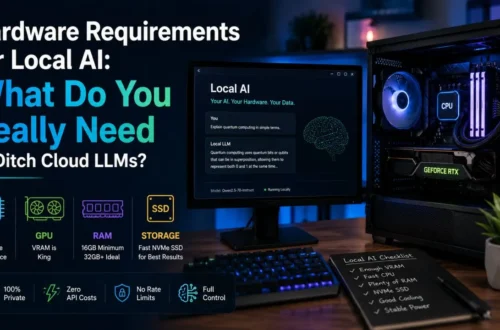
VRAM (Video RAM): Your graphics card’s VRAM is the primary bottleneck for local execution. Models load directly into VRAM for fast token generation. Apple Silicon Macs use unified memory, meaning system RAM doubles as VRAM.
-
Quantization (GGUF Format): Raw AI models are massive. Quantization compresses the model’s weights from 16-bit precision down to 8-bit, 4-bit, or 2-bit (using formats like GGUF). A 4-bit quantized model (Q4) retains around 95–98% of the original model’s intelligence while cutting VRAM demands in half.
| Hardware Tier | Available VRAM / Memory | Recommended Model Size | Ideal Use Cases |
| Entry-Level | 8 GB VRAM / Unified Memory | 3B to 8B parameters (Q4/Q8) | Basic chat, quick drafting, light coding help |
| Mid-Range | 12 GB – 16 GB VRAM | 14B to 27B parameters (Q4) | Complex reasoning, deep coding, local document RAG |
| High-End | 24 GB VRAM (RTX 3090/4090/5090) | 30B to 35B parameters (Q4) | Heavy refactoring, agentic workflows, complex technical tasks |
| Power User | 48 GB+ VRAM / 64 GB+ Mac Unified | 70B+ parameters or sparse MoEs | Frontier-level intelligence, full codebase analysis |
1. The Qwen Family: Best Overall Local All-Rounders
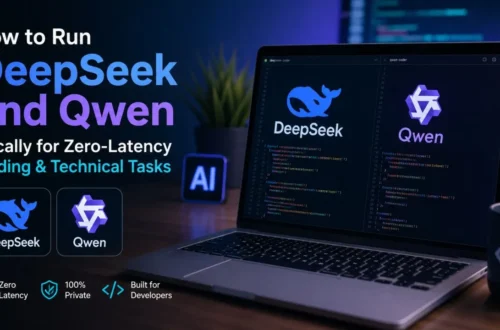
When Alibaba released the Qwen model series under the permissive Apache 2.0 license, it quickly became the go-to default for open-source AI enthusiasts.
ollama run qwen3:8b
Why It’s Great
Qwen models stand out for their exceptional multilingual capabilities (supporting over 100 languages), incredible code generation, and robust instruction-following.
-
Qwen 8B / 14B: Perfect for mid-range GPUs or laptops. They run fast and match or exceed older 70B-class models in logical reasoning.
-
Qwen 27B / 30B: The sweet spot for developers. They excel at repository-wide code chat, debugging scripts, and executing complex shell commands.
Best For: Daily general assistant, coding, and multi-language tasks.
2. DeepSeek Series: The Reasoning & Logic Heavyweights
DeepSeek revolutionized local AI by showing how Chain-of-Thought (CoT) reasoning and Mixture-of-Experts (MoE) architectures can deliver enterprise-grade performance on accessible hardware.
Why It’s Great
Unlike standard text-completion models that answer instantly, models like DeepSeek-R1 and its distilled variants pause to “think” through a problem step-by-step before outputting the final answer.
-
Distilled 8B / 14B Versions: DeepSeek’s reasoning capabilities have been distilled into smaller model sizes (like Llama or Qwen backbones). You can run a reasoning-focused 8B or 14B model on a mid-spec laptop to tackle complex math, formal logic, and hard bug fixes.
-
DeepSeek MoE Architecture: The full-scale models activate only a fraction of their total parameters per token, making inference surprisingly quick relative to their overall knowledge depth.
Best For: Complex math, algorithm design, step-by-step problem solving, and tricky debugging.
3. Google Gemma Series: Compact Multimodal Powerhouses
Built by Google DeepMind using research from the flagship Gemini models, the Gemma series focuses on getting maximum performance out of smaller parameter counts.
Why It’s Great
Gemma models emphasize quantization-aware training (QAT). This means Google explicitly optimized the weights so that compressing the model to 4-bit GGUF degrades performance far less than usual.
-
Multimodal Options (Vision + Text): Certain Gemma variants support visual input. You can pass in UI mockups, screenshots, software diagrams, or photos of code, and the model will analyze both the image and your text prompt simultaneously.
-
Efficiency: The 9B and 27B/31B variants offer high token speeds on consumer hardware while keeping memory footprint under control.
Best For: On-device visual understanding, UI development, and lightweight desktop setups.
4. OpenAI gpt-oss & Microsoft Phi-4: Fast, On-Device Efficiency
For users with tight hardware constraints or those who want open-weight models backed by top research labs, OpenAI’s gpt-oss series and Microsoft’s Phi-4 are standout picks.
Why They Excel
-
OpenAI gpt-oss (20B / 120B): Released under the permissive Apache 2.0 license, gpt-oss-20b runs comfortably within 16 GB of memory, bringing configurable reasoning depth and chain-of-thought processing directly to your local rig.
-
Microsoft Phi-4 (14B): Trained heavily on high-quality synthetic datasets and technical textbooks. It punches far above its weight class in STEM subjects, logic, and concise reasoning while maintaining low latency.
Best For: High-speed local execution, privacy-sensitive workflows, and hardware-limited setups.
How to Get Started Running Models in 5 Minutes
You don’t need a PhD in computer science or complex terminal commands to run these models locally. Modern graphical applications handle model downloads, GPU offloading, and chat interfaces automatically.
Top Local AI Runners
-
Ollama (CLI & Background Service): The gold standard for command-line users and developers. It runs quietly in the background and integrates seamlessly with local tools and web UIs.
-
LM Studio (Desktop GUI): A polished graphical application for Windows, Mac, and Linux. It lets you search Hugging Face, download GGUF models with one click, adjust context window lengths, and offload layers to your GPU visually.
-
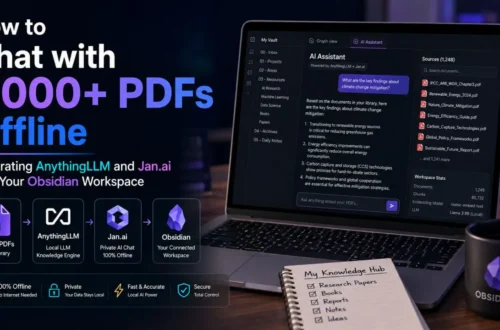
Jan.ai / AnythingLLM: Excellent turn-key applications if you want a ChatGPT-like interface with built-in Retrieval-Augmented Generation (RAG) to chat directly with your local PDF files and documents.
Pro Tips for Optimizing Local Performance
To get the smoothest experience when running models on your machine:
-
Watch Your Context Window: Setting a context length of 128k tokens sounds great, but context memory consumes significant VRAM. If you’re running low on memory, cap your context at 8k or 16k tokens to free up space for larger, smarter models.
-
Enable Flash Attention: If your local runner supports it, turning on Flash Attention significantly cuts down RAM consumption during long chat sessions.
-
Balance CPU and GPU Offloading: If a model is slightly too big for your VRAM, tools like
llama.cppor LM Studio allow you to offload 80% of the layers to your GPU while routing the remaining 20% to system RAM. You’ll sacrifice a bit of speed, but it enables you to run much larger models than your GPU could otherwise hold.